



Blog Tool Kit
By Caliber Creative
Let’s be real, blogging is HARD. You have to be part writer and part marketer. It’s a daunting task, but there are ways to make it easier. That’s why I created this ULTIMATE list of blogging tools. To share with you some tools for each part of the blog writing process. Blogging is hard, these tools make it easier.
Finding a Topic for your Blog Post
Making the decision to blog is easy. For inbound marketing and SEO purposes alone you need updated content on a regular basis. What’s hard is deciding where to start and what to blog about. Here are a few tools to get you rolling.
Topic Generator – hubspot.com
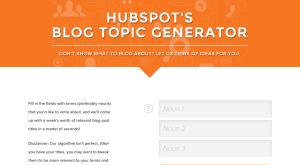
This Hubspot Topic Generator tool gives you a few simple suggestions based on key topics. I use this as a starting point to narrow down keywords and start a list of potential post ideas.
Find the most shared content for any topic or domain – buzzsumo.com

This site lets you see the top social shared posts. This tool helps me assess the interest of readers to come up with topics that have potential.
Content Idea Generator – portent.com
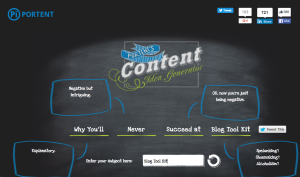
This Idea Generator tool gives you a few ways you can spin the same topic. I use this when I have come to ‘who’ and ‘what’ I want to write about, but need some suggestions about what direction to start.
Twitter Trending Topics – whatstrending.com
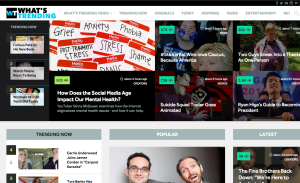
This site gives you the latest trending topics and posts. I use this to keep up with what’s trending in my industry and create relevant and current content for readers.
Finding a Headline for your Blog Post
Crafting a good headline is notably important. The only way a stranger is going to read your blog post is if they see something that attracts their interest. A great headline can entice visitors to read a blog post and explore the entire site.
Headline Analyzer – coschedule.com
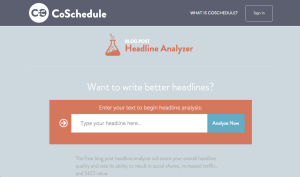
This tool helps analyze the words, type, length and other factors to give you a headline grade. This is the only tool I use when coming up with headlines because it’s just that good at helping me craft click-bait headlines.
Writing content for your Blog Post
There are tons of resources out there to help with the different stages of developing the content for a post. Here are a few to help with composition and structure.
Organize Content and plan posts – gingkoapp.com

This app is great for creating a coherent outline of topics and subtext. I use this tool to start organizing my thoughts and outlining my blog posts.
- Create a gif – giphy.com
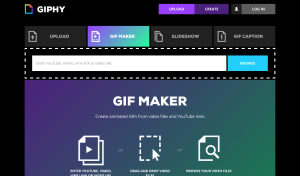
This site lets you put in any video clip and edit it down to make a gif. I use this to add visual storytelling elements to my posts.
- Add social proof – storify.com
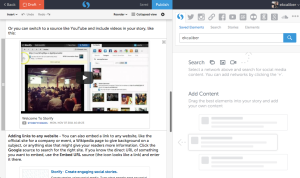
This tool helps you build in relevant social content from a multitude of social media sites. This comes in handy when I am writing about news or want to verify different text points with social proof.
- Highlight and make it easy for sentences to be tweeted – clicktotweet.com
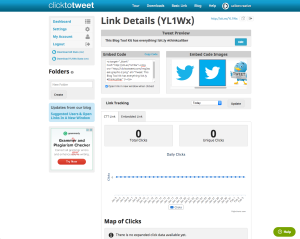
Click to tweet gives you a link to put in a text image. Any person who chooses to tweet your preferred quote has a pre-populated tweet. This makes it easier for my readers to share content. It also gives me the opportunity to attract the next reader through those tweets.
Editing your Blog Post
Not everybody is a writer and some of us need a little extra help in the self-editing department.
- Check your Grammar and spelling – grammarly.com
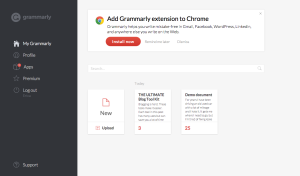
Grammarly has been around for awhile and it’s a great source for editing. Their text editor gives feedback on spelling and grammar. I also use the web browser plugin to analyze my writing while I use the web.
- Check Readability – hemingwayapp.com
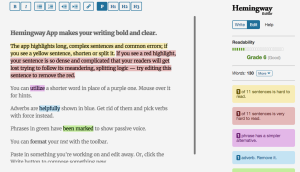
This site goes the extra step and analyzes phrases, adverbs, and passive tense. This tool also has a desktop app as well, and can give editing tips. I use this to simplify my sentences because I tend to be a bit long winded.
Finding the Perfect Images
Selling your content is hard when you don’t have the photo or graphic design skills to make it pop on social media. It’s also proven to be easier for readers to comprehend text with visuals.
- Free Beautiful Stock Photos – unsplash.com

This website has tons of free high-quality stock photos. I use this site frequently for social media and blog graphics.
- Photo editing made easy – canva.com
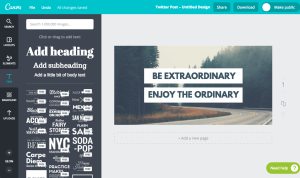
This site is a photo editing software with built-in templates. I’m not a designer so this comes in handy when I’m trying to create an image with text to share on social media.
Sharing your blog post on social
Finally, you want to make sure it’s easy for readers to share your content. You went through all this work to construct the perfect blog post, make it easy for people to find it!
- Social sharing icons – sumome.com

This site gives you a static social sharing icons bar to place in your blog posts. I use this to make it easy for my readers to share my content and spread the word on my behalf.
All in all, I don’t use every single one of these tools every time I write a post. But I do live by the Coschedule Analyzer and Ginko App. I hope at least some of these tools make it into your blogging routine. If you have a question about the tools listed above you can reach me on twitter @ericakale or shoot us a message. Thanks for reading!